


 Kinect Card
Kinect Card
Kinect Card


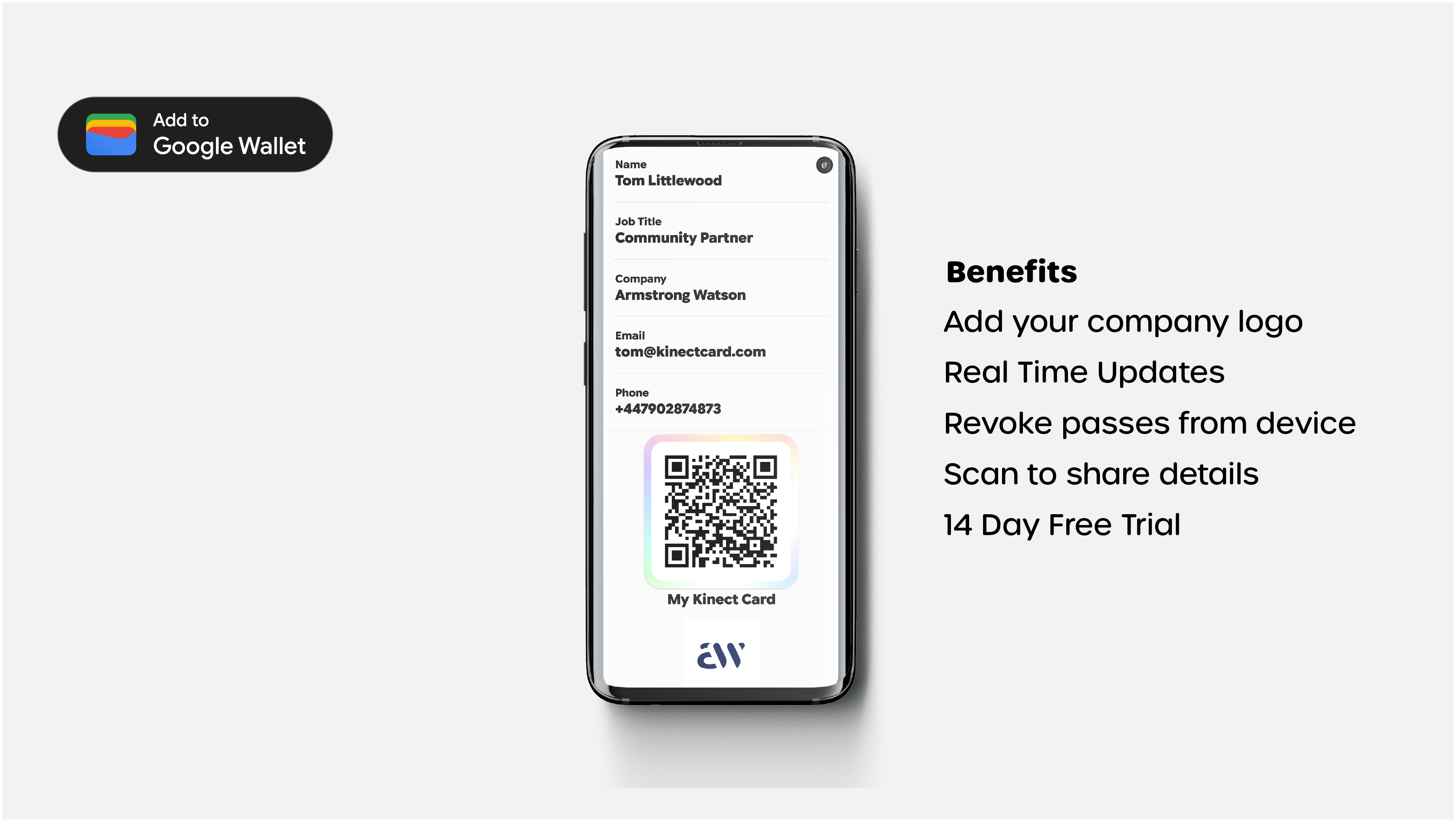
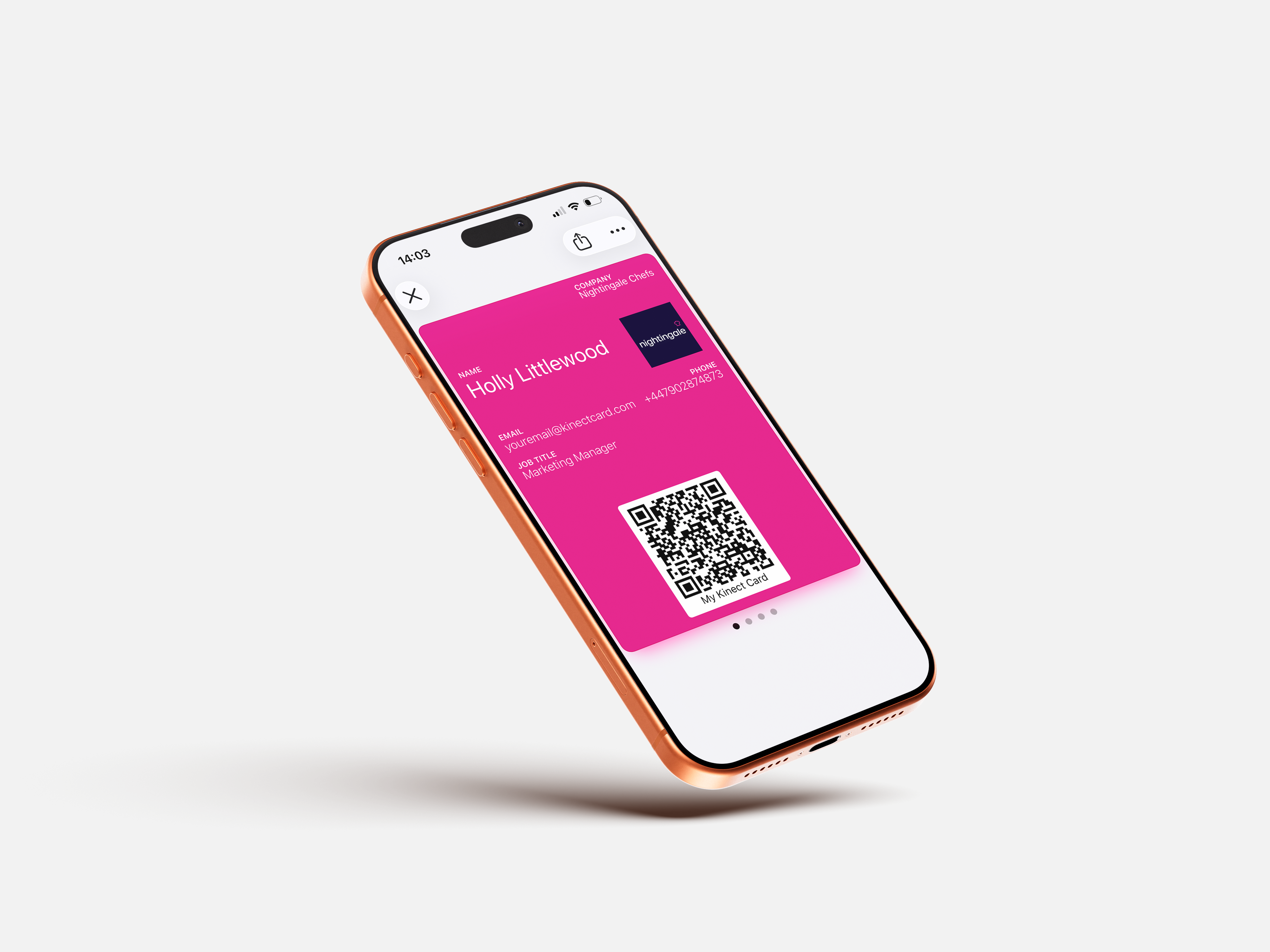
Why businesses are going digital with their business cards — Always ready, never out of stock, and updated in real time. Digital business cards live in your Apple or Google Wallet, ready to share wherever you are.
Using Apple & Google wallets, you can share your Kinect card business profile with any device, all they need to do is scan the QR code to receive your profile
Digital wallets are used for bank payment, boarding passes and now, your business cards. Always be ready to network by double tapping your wallet.
All digital Kinect Cards have a unique QR code in the wallet, the prospect simply scans this and opens your corporate Kinect Card profile.
All digital business cards can be customised to your brand or multiple brands if your structure requires it.
Never print business cards again. Digital business cards never expire, can be updated in realtime and licences reassigned between employees.
Where an employee leaves, we are one of the few providers that can revoke a digital business card from a device remotely.


You can centrally manage who in your team has a digital business card and issue them in a couple of clicks.
All of our digital business cards are dynamic - you can update job titles, names changes and branding in realtime
Whenever a person leaves the business you can remotely revoke their digital business card and deploy to another person in your team.

Managing your digital business cards for either just yourself or your team is made simple with our software. Create branded digital business cards in minutes and never order paper business cards again.

Prefer to talk to a human - contact our team today for a discovery call and quotation for your business.


We have plans to suit any sized business. Got Questions? Call our team on +44(0)1422 415 462 or email hello@kinectcard.com.
Pricing excludes VAT - Cancel Anytime
Digital Starter
Digital wallet business card.
Cancel anytime
Networking solution
Features
Support
Digital Professional
For growing teams.
Cancel anytime
Networking solution
Features
Support
Digital Business
For large teams.
Cancel anytime
Networking solution
Features
Support
Kinect Enterprise
For enterprise organisations.
Contact us for a quote
Networking solution
Features
Support


Your Kinect Card digital business card lets you share everything — your contact details, social profiles, website, and more — with a single tap. No paper. No reprinting. No outdated details left in someone's pocket.
Here's how it works: Check out today and our team will contact you to register your account. From there you can create your digital business card and store to your Apple or Google wallet in minutes. Cancel Anytime



Since the first contact with Kinect, they have been incredibly helpful. The product looks fantastic and works smoothly. We are really looking forward to starting to use these with our customers.
"The team are absolutely brilliant, really responsive and quick turn around time! Took the time to talk through the system and benefits which was really helpful, and I know if I ever need anything, they are always quick to respond and are always on hand! Brilliant quality all round, product and service"

The support from Tom has been second to none. We have gone from 1 card to 30 and everyone is thrilled. Everyone has been wowed by the dashboard and the cards are really easy to use and administer. Thanks so much - look forward to continuing to work with you

"We recently ordered cards for our company, and Richard and the team were absolutely amazing to work with. They really took the time to understand our brand and worked closely with me to make sure every detail of the card matched our company’s aesthetic, right down to the finish and feel"

Since the first contact with Kinect, they have been incredibly helpful. The product looks fantastic and works smoothly. We are really looking forward to starting to use these with our customers.
"The team are absolutely brilliant, really responsive and quick turn around time! Took the time to talk through the system and benefits which was really helpful, and I know if I ever need anything, they are always quick to respond and are always on hand! Brilliant quality all round, product and service"
The support from Tom has been second to none. We have gone from 1 card to 30 and everyone is thrilled. Everyone has been wowed by the dashboard and the cards are really easy to use and administer. Thanks so much - look forward to continuing to work with you
"We recently ordered cards for our company, and Richard and the team were absolutely amazing to work with. They really took the time to understand our brand and worked closely with me to make sure every detail of the card matched our company’s aesthetic, right down to the finish and feel"
Card looks amazing and people genuinely impressed when you tap you details on to their phone! Usually ask where I got it!

"Tom, Richard and the team at Kinect Card are fantastic! The customer service they provide is exceptional. They answered every email and question at pace, dispatch was quick and efficient, and they made the whole process so easy, even though my requirements were complex. I would highly recommend them"
Great customer service and communication setting up our account, would definitely recommend them to others

New impressive technology. Unique Idea. Saving cost on printed business cards. User friendly. Easy to connect and pass the contact details.

Card looks amazing and people genuinely impressed when you tap you details on to their phone! Usually ask where I got it!
"Tom, Richard and the team at Kinect Card are fantastic! The customer service they provide is exceptional. They answered every email and question at pace, dispatch was quick and efficient, and they made the whole process so easy, even though my requirements were complex. I would highly recommend them"
Great customer service and communication setting up our account, would definitely recommend them to others
New impressive technology. Unique Idea. Saving cost on printed business cards. User friendly. Easy to connect and pass the contact details.
"Friendly and helpful service, Tom talked us through every step of the process and made the set-up simple - and he's never failed to answer a call when we had a question. Simple, straight-forward and efficient. Great product and (all too rare these days), excellent customer service"

"Fantastic service from Tom and the Kinect team, wonderful communication, and great looking cards. Looking forward to working with Kinect into 2025"

"Excellent product, and great people to deal with. The service i received from Tom Littlewood was first class. Looking forward to the future with KINECT"

"Friendly and helpful service, Tom talked us through every step of the process and made the set-up simple - and he's never failed to answer a call when we had a question. Simple, straight-forward and efficient. Great product and (all too rare these days), excellent customer service"
"Fantastic service from Tom and the Kinect team, wonderful communication, and great looking cards. Looking forward to working with Kinect into 2025"
"Excellent product, and great people to deal with. The service i received from Tom Littlewood was first class. Looking forward to the future with KINECT"
Since the first contact with Kinect, they have been incredibly helpful. The product looks fantastic and works smoothly. We are really looking forward to starting to use these with our customers.
Card looks amazing and people genuinely impressed when you tap you details on to their phone! Usually ask where I got it!
"Friendly and helpful service, Tom talked us through every step of the process and made the set-up simple - and he's never failed to answer a call when we had a question. Simple, straight-forward and efficient. Great product and (all too rare these days), excellent customer service"
"The team are absolutely brilliant, really responsive and quick turn around time! Took the time to talk through the system and benefits which was really helpful, and I know if I ever need anything, they are always quick to respond and are always on hand! Brilliant quality all round, product and service"
"Tom, Richard and the team at Kinect Card are fantastic! The customer service they provide is exceptional. They answered every email and question at pace, dispatch was quick and efficient, and they made the whole process so easy, even though my requirements were complex. I would highly recommend them"
"Fantastic service from Tom and the Kinect team, wonderful communication, and great looking cards. Looking forward to working with Kinect into 2025"
The support from Tom has been second to none. We have gone from 1 card to 30 and everyone is thrilled. Everyone has been wowed by the dashboard and the cards are really easy to use and administer. Thanks so much - look forward to continuing to work with you
Great customer service and communication setting up our account, would definitely recommend them to others
"Excellent product, and great people to deal with. The service i received from Tom Littlewood was first class. Looking forward to the future with KINECT"
"We recently ordered cards for our company, and Richard and the team were absolutely amazing to work with. They really took the time to understand our brand and worked closely with me to make sure every detail of the card matched our company’s aesthetic, right down to the finish and feel"
New impressive technology. Unique Idea. Saving cost on printed business cards. User friendly. Easy to connect and pass the contact details.
A digital business card is a modern alternative to the paper business card. Instead of handing someone a printed card that gets lost or thrown away, you share your contact details, social links, website, and more — instantly, from your phone. Kinect Digital stores your card as a pass in your Apple Wallet or Google Wallet, so it's always with you and always up to date.
Kinect Digital is our digital-only business card solution. Your contact profile is stored as a pass directly in your Apple Wallet or Google Wallet — no physical card required.
You can share your details by displaying your QR code, It's the fastest, most flexible way to go paperless and start networking smarter.
Once you've set up your Kinect Digital profile, your card is saved as a pass in your phone's wallet. To share your details, simply open your wallet and show your QR code — the other person scans it and your full profile appears instantly in their browser. They can then save your details directly to their contacts. No app needed, no paper, no hassle.
Apple Wallet is the built-in app on every iPhone used to store boarding passes, loyalty cards, and payment cards. Kinect Digital uses the same technology to store your business card as a pass — meaning it's always accessible from your lock screen or with a double-click of your side button, even without a data connection. It's the fastest way to pull up and share your contact details on an iPhone.
Google Wallet is Android's equivalent of Apple Wallet — a native app for storing passes, cards, and tickets. Kinect Digital creates a Google Wallet pass for Android users so your business card lives right in your wallet alongside your other cards. Open it, show your QR code, and your profile is shared in seconds.
No — and neither does the person you're sharing with. Your Kinect Digital pass lives in your phone's built-in wallet. The person receiving your details simply scans your QR code and your profile opens in their browser. No app downloads, no sign-ups, no friction.
Kinect Digital is a fully digital solution — your business card lives in your Apple or Google Wallet and is shared via QR code or link. A Kinect NFC business card is a physical, branded card that uses a tap to share your profile. Both connect to the same Kinect software and feature set. Many customers use both: the digital pass for everyday mobile sharing and the physical NFC card for in-person networking events.
Yes, absolutely. Kinect Digital is a standalone product — no physical card purchase is required. Your entire networking experience lives on your phone via your Apple or Google Wallet pass. Start now here for free.
Once you've created your Kinect Digital profile and subscribed to a plan, you'll receive a link to add your pass to Apple Wallet. Simply tap the link on your iPhone, hit "Add to Wallet", and your digital business card is ready to share instantly. The whole process takes less than two minutes.
The process is just as simple on Android. After setting up your profile, tap your pass link on your Android device, and choose "Add to Google Wallet." Your Kinect Digital card will be saved and accessible from your wallet at any time.
There are several ways to share your Kinect Digital card: open your wallet pass and let someone scan your QR code; send your personal profile URL via email, WhatsApp, or LinkedIn; add your QR code or link to your email signature; or share your link on social media. However your contacts prefer to connect, Kinect Digital has it covered.
Your Wallet pass can be opened and your QR code displayed without a data connection — so you can always show your card even in areas with poor signal. The person scanning your code will need a data connection to load your full profile, but this is typically not an issue in most networking environments.
You can also share a digital business card via text, so that person can download it to their device too.
Your Kinect Digital profile can include your name, job title, company name, profile photo, phone numbers, email addresses, website, LinkedIn, social media profiles, booking links, portfolio links, documents, and a lead capture form. You can add as much or as little as you like — and update it all instantly at any time.
Yes. You can use our themes editor to manage pass backgrounds, text colours & your company logo for Iphone passes.
If you use Google wallet, you digital business card will display your company logo as Google manages the background and text colour (White & black) for accessibility.
Yes — this is one of the biggest advantages over paper cards. Log in to your Kinect dashboard and update any detail instantly. Changes take effect immediately, so everyone who views your profile always sees your latest information. You'll never hand out an out-of-date card again Or reprint business cards again.
Yes. Kinect Digital is a monthly rolling plan with no minimum term. You can cancel anytime, add more users as your team grows, or scale back down — all without penalty. We believe in earning your business every month, not locking you in.
Yes. You can create multiple profiles and have multiple digital business cards in your device. — for example, if you owned multiple businesses, you can create two profiles and create a digital business card and download them to your device, rather than carrying stacks of paper cards around everyday!
Yes. Kinect Digital includes built-in lead capture forms. When a prospect views your profile, they can submit their own details directly — giving you a clean, accurate lead without the need for a card scanner or manual data entry. Leads are stored in your dashboard and can be exported to your CRM. Learn more about integrations here.
